IntegrationsEvery plan; WordPress website on Global
Your online shop and your tools, plugged into the same stock
Your catalogue and stock go to WooCommerce or Shopify, your WooCommerce orders come back into JewellERP, your suppliers exchange by EDI, and every important step notifies the right person by email.
In thirty seconds
- WooCommerce and Shopify Catalogue and stock synced with your online shop.
- A WordPress website created for you On the Global plan, one website per shop, as an option.
- An email on every action Thirty-eight events can notify a customer or the team.
Connectors
What plugs into JewellERP
Four families of integrations, all set up from the application.
Online selling
WooCommerce
Your existing website connected: catalogue, photos and stock go to the website; orders and customers come back.
Shopify
Your catalogue and stock synced with your Shopify shop.
WordPress website created from the shopGlobal plan
JewellERP creates the website from your catalogue and keeps it up to date.
Suppliers and trade customers
Supplier EDI
Purchase order sent as a file, supplier’s reply imported.
EDI orders from your customers
Your resellers’ orders are imported and exported as files.
Messages
Emails
Through the sending server of your choice, on your templates.
Notifications
In the application and as browser notifications.
Slack
The team’s alerts in your messaging tool.
MCP server and exports
MCP server
Your AI tools query JewellERP with a token limited to what you authorise.
Workflow webhooks
A workflow step can call another tool.
Exports
CSV, Excel, sales FEC (French audit file), a customer’s data.
Encrypted backups
Daily or weekly, encrypted, stored on Google Drive.
Messages
A message on every action
A few of the thirty-eight events that can trigger an email.
To the customer
Invoice issued
The invoice goes to the customer, as a PDF.
To the customer
Order confirmed
The customer receives the confirmation of their order.
To the customer
Payment received
The customer receives the confirmation of their payment.
To the customer
Unpaid invoice
First reminder, second reminder, then formal notice.
To the customer
Repair ready
The customer knows they can come and collect their piece.
To the team
Quote accepted or expired
The salesperson knows where their quote stands.
To the manager
Purchase order to approve
The manager receives the approval request.
To the team
Low stock
Alerts and weekly stock summary.
Each email follows its template, editable in the editor. Some are switched off at the start: you switch them on in the settings.
On screen
Importing an EDI order
In the order list, a button imports a reseller’s file.
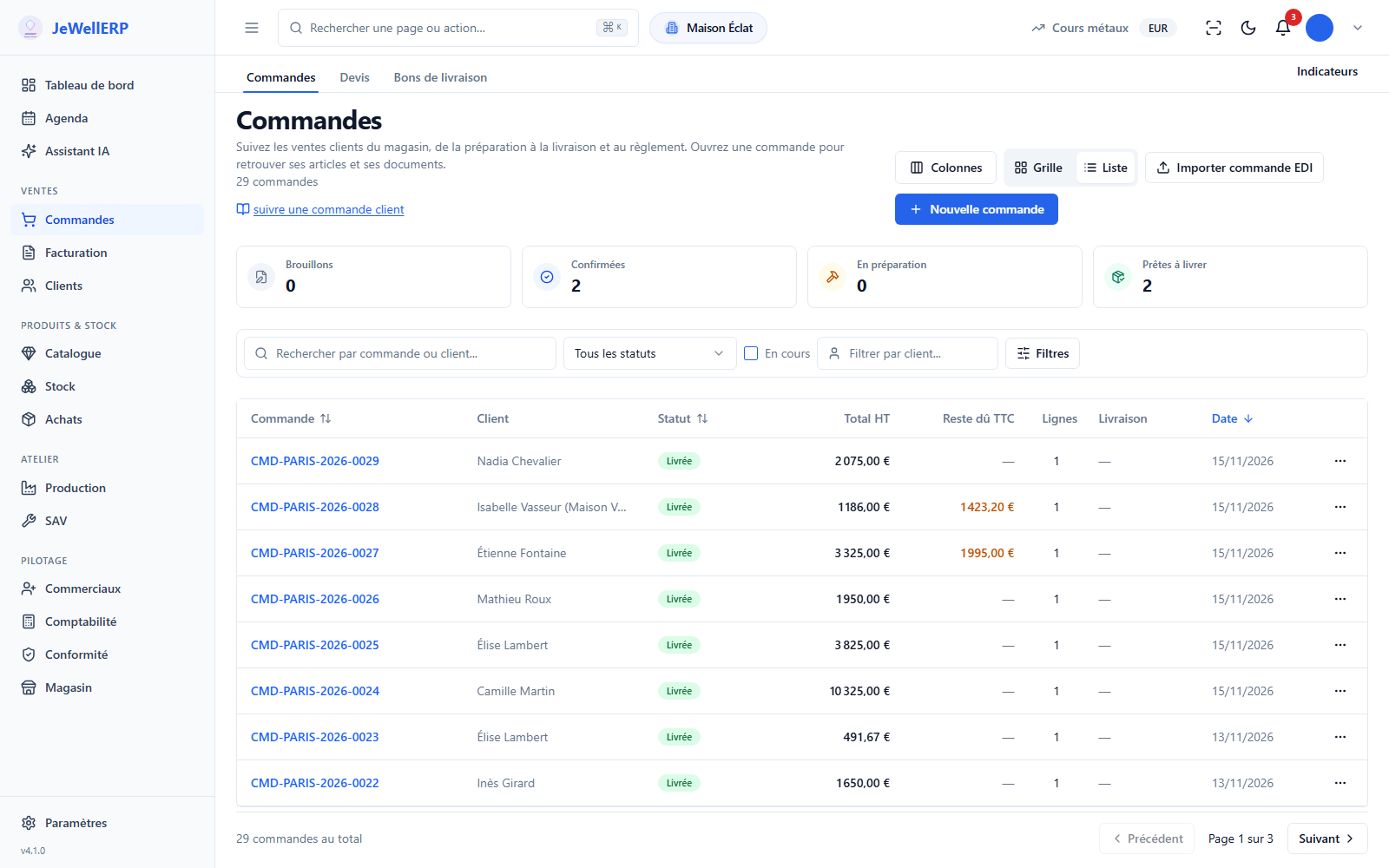
On this screen
In detail
Integrations in detail
- Two ways: connect an existing WooCommerce website, or let JewellERP create the website (Global plan).
- To the website: catalogue, photos, stock.
- To JewellERP: paid orders, status changes, customers.
- Creating a WordPress website from the shop has its own page: WordPress website.
- Catalogue and stock synced with your Shopify shop, from JewellERP.
- CSV or XML files.
- Supplier purchase orders sent, replies imported; customer orders imported and exported.
- Personal token with a scope: reading filtered by your permissions.
- A proposal made by an external tool waits for your authorisation in JewellERP.
- Daily or weekly, encrypted, on Google Drive.
- Restore reserved to the administrator, after quarantine.
Scope
What JewellERP does, and what it does not do
What it does
- Syncs catalogue and stock with WooCommerce and Shopify.
- Creates and keeps up to date one WordPress website per shop, on the Global plan.
- Exchanges orders and replies with your suppliers as EDI files.
- Sends an email at each step you choose.
What it does not do
- No feed to Google Merchant or Meta.
- No text messages: messages go out by email, in the application or on Slack.
- No public connection interface for third-party developers: access goes through the MCP server and webhooks.
Questions
Your questions
No. JewellERP connects to your existing website. Creating a WordPress website from the shop is another option, on the Global plan.
Stock goes from JewellERP to the website: a piece sold at the counter is no longer in stock online after the synchronisation.
On your Google Drive, encrypted. Only the administrator can start a restore.
Plug in your online shop, in a demo
Catalogue, stock and orders: see the journey of a piece between JewellERP and the website.
Next feature: E-invoicing