Product configurationEvery plan
Your catalogue, and pieces configured with their price
Records by metal, fineness and weight, variants, stones and options: the customer chooses the metal, the stone, the size or the engraving, and the price follows. You share a collection through a link that never shows your costs.
In thirty seconds
- Options that set the price Each option can add its amount; engraving is counted by the character.
- A link without your costs The shared collection shows the retail price at most. The link expires and can be revoked.
- A 3D model per product Your 3D file or a parametric shape, attached to the product.
What you gain
What you gain
A catalogue kept the way a jeweller keeps it, and made-to-measure pieces priced while the customer is still at the counter.
A jeweller’s record
Metal, fineness in thousandths, weight, stones, trade price and retail price.
Variants without duplicates
Ring size, metal or length: one record, its variants.
Components and assemblies
An option can be tied to a component: choosing a sapphire means reserving that sapphire.
Collections to share
Send a selection to a customer or a reseller, and see whether it has been viewed.
Step by step
A configured piece, from catalogue to basket
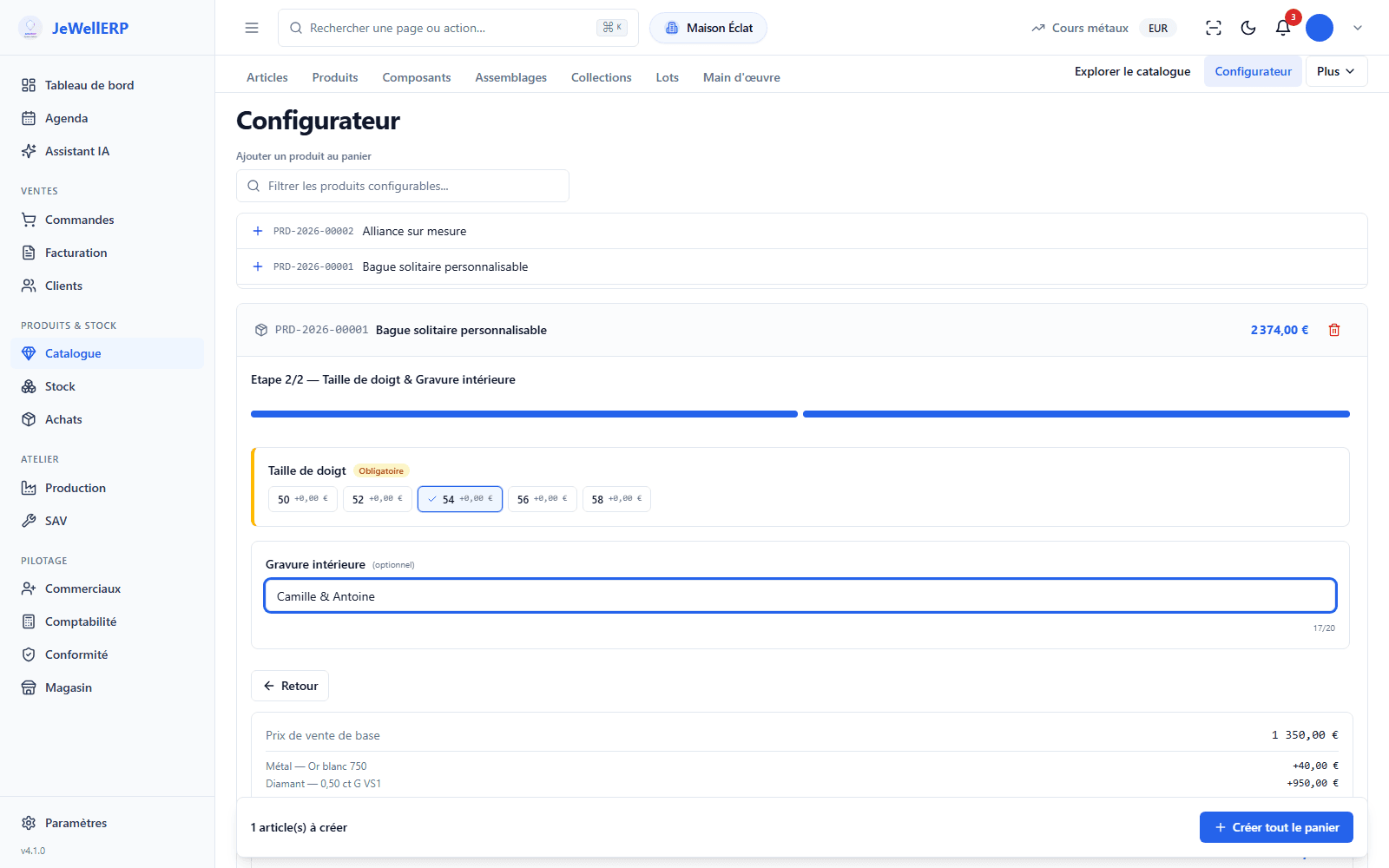
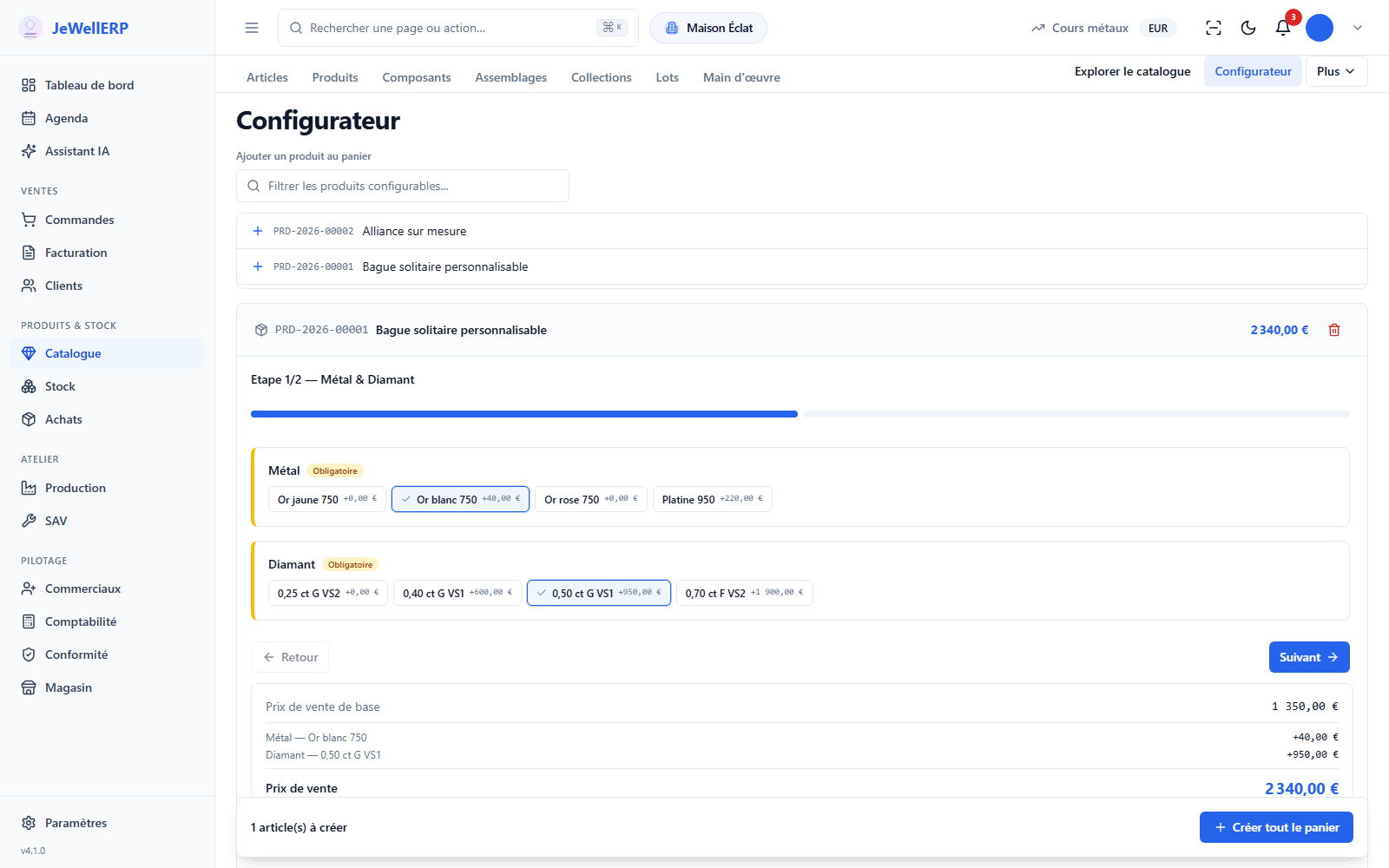
Example: a customisable solitaire, chosen in white gold, with a diamond and an inside engraving.
The product
A record with its axes: metal, stone, size.
The options
Option groups, the price of each choice, engraving by the character.
The configuration
At the counter, the salesperson chooses with the customer; the price is calculated.
The basket
The configured piece goes into a quote or an order, then into production.
On screen
The configurator in JewellERP
The screen where the salesperson configures a product before adding it to the basket: here, a customisable solitaire ring.
On this screen
In detail
The catalogue in detail
- Metal, fineness, weight, stones, category.
- Trade price and retail price, cost reserved for authorised people.
- Fineness values vary by country.
- The weight and fineness feed the metals report: fine weight and value at the metal price.
- Variant axes and a price per axis.
- Option groups with their effect on the price.
- Engraving billed by the character, option tied to a stock component.
- Token link, with an expiry date and revocation.
- Visit counter.
- The public page never shows the cost, the retail price at most.
- Articles sold as they are, configurable products, components and assemblies.
- Collections to group your pieces, lots for what arrived together.
- Labour described separately, picked up by the workshop bills of materials.
- The price of a metal component is pre-filled at the day’s price.
- Catalogue export in one click.
- A 3D file in GLB format that you supply, or a parametric shape.
- The 3D configurator on this website shows the principle.
Scope
What JewellERP does, and what it does not do
What it does
- Describes each piece by metal, fineness and weight.
- Calculates the price of a configured piece.
- Shares a collection without showing your costs.
- Attaches a 3D model to a product.
What it does not do
- It does not create a 3D model automatically from your photos.
- The sharing link has no password: it expires and can be revoked.
Questions
Your questions
No. A collection’s public page never shows the cost: the retail price at most.
No. The 3D model is optional. The configurator works without it, with your options and your prices.
Yes: you import it yourself with the included tools, or you entrust us with the migration, free of charge within the scope stated.
Configure a piece with us
Metal, stone, size and engraving: we build a piece and its price on the demonstration catalogue.
Next feature: Several shops