WorkflowsEvery plan
Your working circuits, drawn your way
Orders, quotes, purchasing, credit notes, articles, serial numbers and commissions follow steps that you set in a visual editor: who can move forward, what is blocked, and what goes out automatically.
In thirty seconds
- Seven configurable circuits Article, serial number, order, quote, credit note, supplier purchase order, commission.
- A visual editor Steps and transitions are drawn and linked with the mouse.
- Fifteen automatic actions Emails, PDFs, locks, approval request, webhook, log.
What you gain
What you gain
Every house has its habits: who confirms an order, who approves a purchase, when a quote is frozen. The software follows them instead of imposing its own.
Steps in your own words
Label, colour, final step: the circuit speaks like your house.
Who can do what
A transition can require a specific role or a condition.
What gets locked
At a given step, a document can no longer be edited or deleted.
What goes out by itself
An email, a PDF or a call to another tool, at each step change.
Flows
Four circuits, as they run in the demonstration
The steps below are those of the demonstration data set; you rename them, add some or remove some.
Customer order
- Draft
- Confirmed
- In preparation
- Ready
- Delivered
Confirmation can send the order confirmation to the customer.
Supplier purchase order
- Draft
- Awaiting approval
- Sent
- Confirmed
- Received
Approval notifies the manager by email; a receipt can be partial.
Commission
- Pending
- Approved
- Paid
A commission can also be rejected before payment.
Production order
- Planned
- In progress
- Quality control
- Approved
- Finished
The production steps are set separately, in the production routings.
On screen
What you read on this screen
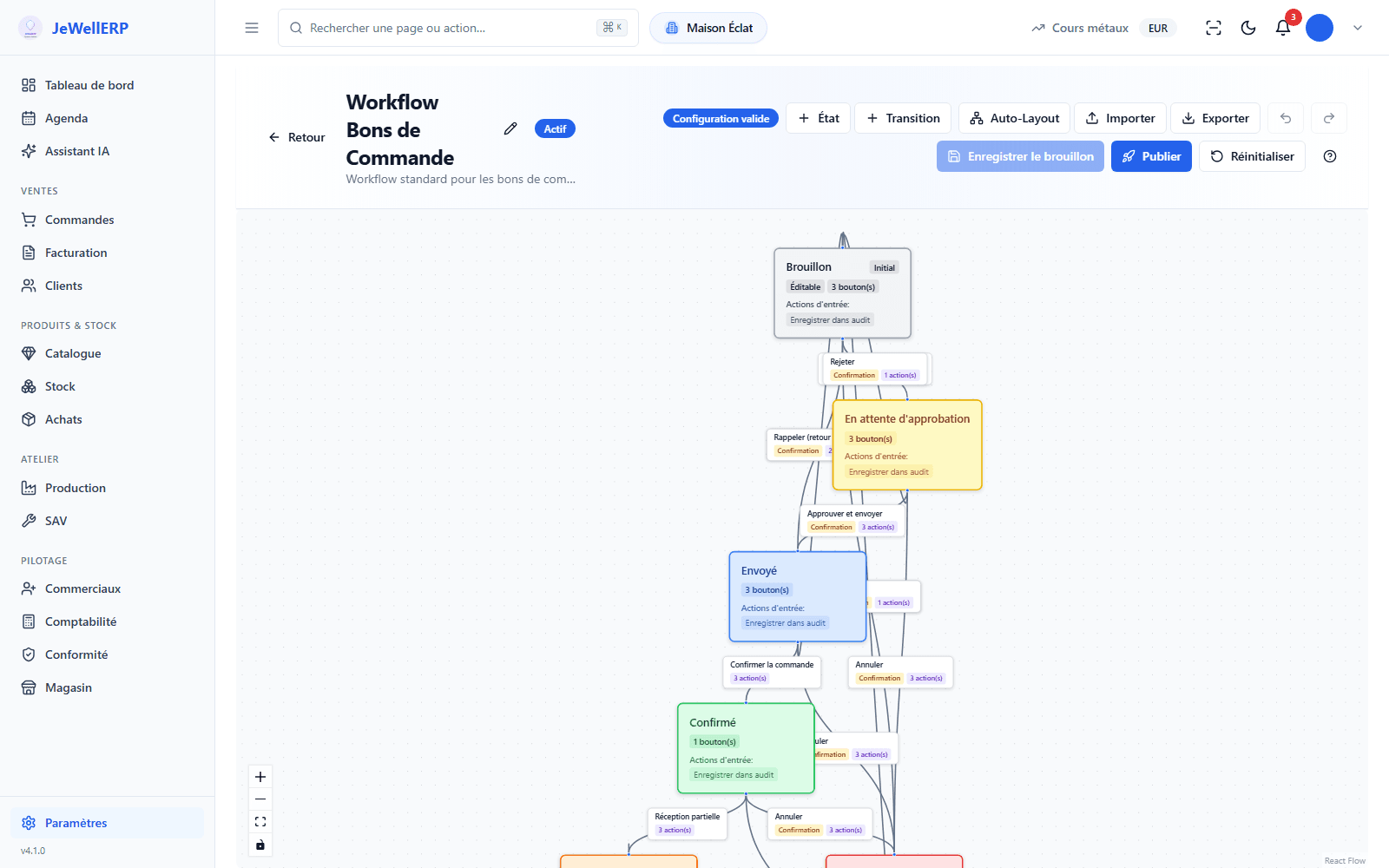
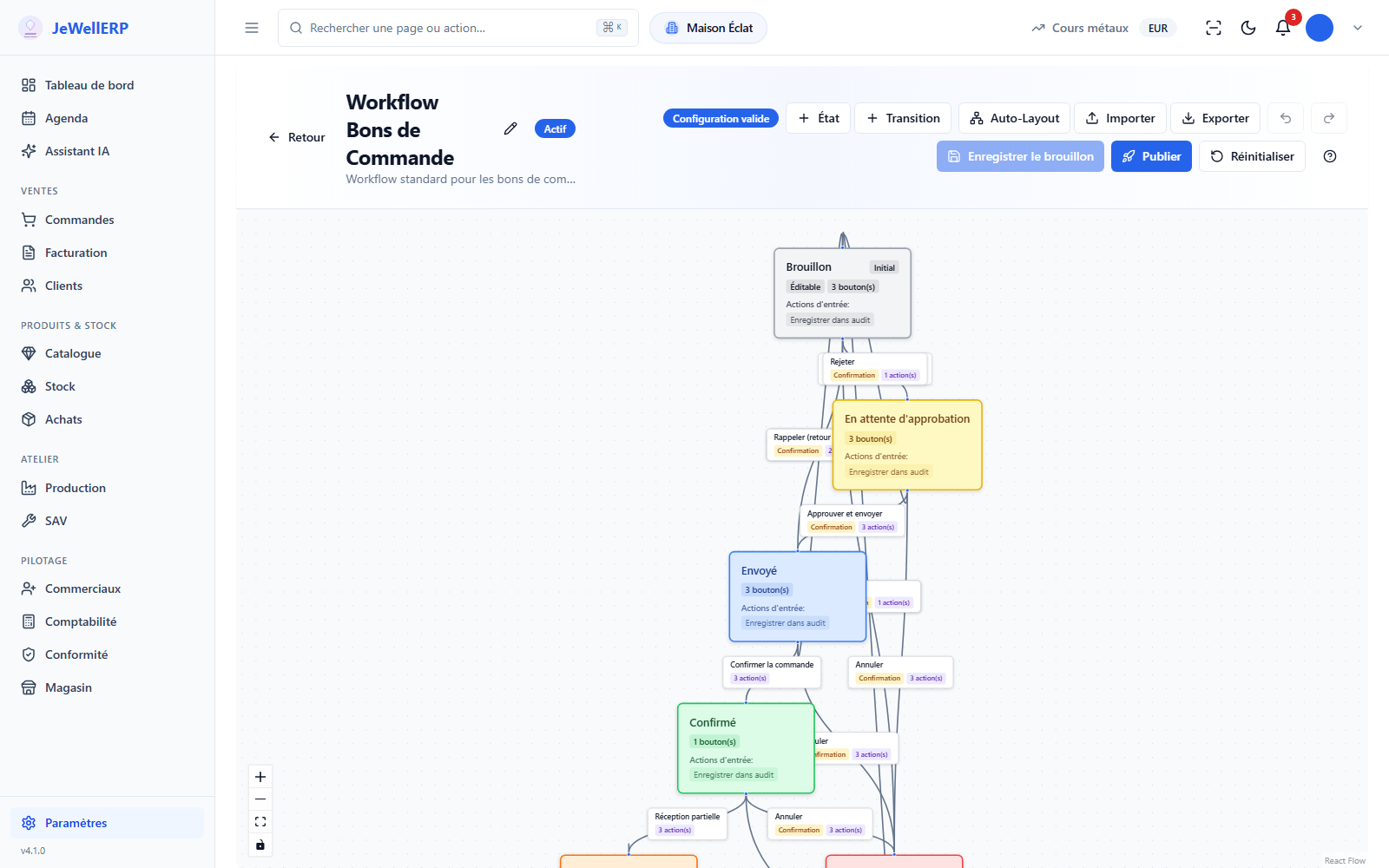
The supplier purchase order circuit of the demonstration shop, opened in the editor without changing anything.
On this screen
In detail
Workflows in detail
- Article, serial number, order, quote, credit note, supplier purchase order, commission.
- Five emails sent and four PDFs generated.
- Blocking or allowing editing, blocking deletion.
- Approval request, webhook call to another tool, entry in the log.
- Manual or automatic.
- With conditions and required roles.
- On the purchase order circuit, the “Awaiting approval” step requires the manager role.
- The “approval required” action blocks sending until the manager has approved.
- An email goes to the manager when the purchase order reaches this step.
- The production steps are set in the production routings.
- The after-sales steps are fixed.
Scope
What JewellERP does, and what it does not do
What it does
- Lets you draw steps and transitions in a visual editor.
- Reserves a transition for a role or a condition.
- Triggers emails, PDFs, approvals and webhooks.
- Locks or protects a document at the step you choose.
What it does not do
- It does not create to-do tasks for a colleague.
- The after-sales steps cannot be redrawn.
Questions
Your questions
No. Steps are drawn and linked in the visual editor; actions are chosen from a list.
Yes. It prepares the change to the circuit in the editor; you review it and save it.
The document waits for an authorised person to approve it. Others cannot move it forward.
Draw a circuit with us
We add a step to your order circuit, live, and put an order through it.
Next feature: Document templates