Workshop and productionEvery plan
A workshop where every piece is checked by a second person
From bill of materials to quality control, the production order follows the piece right to the bench: reserved material, photos at critical steps, metal actually consumed and true cost compared with planned cost.
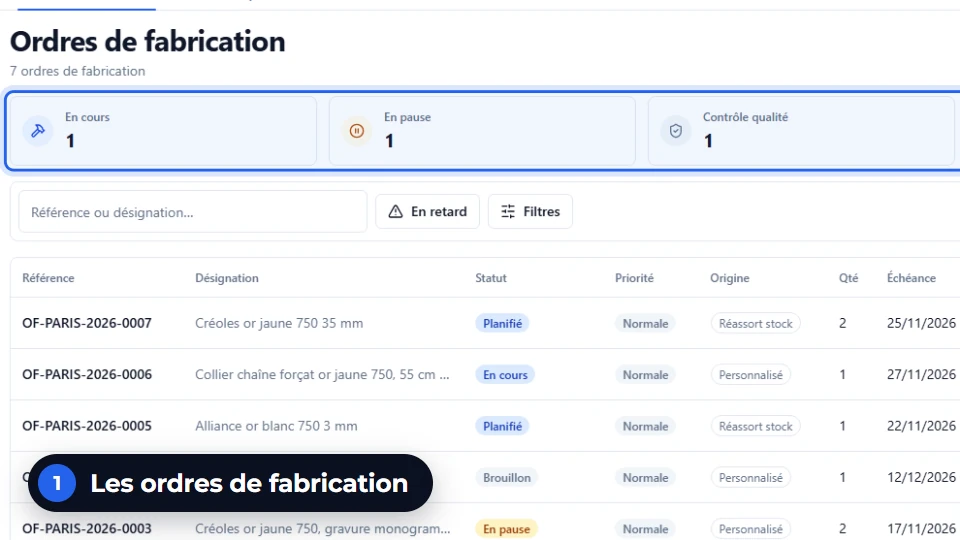
In thirty seconds
- Checked by a second person Whoever carried out a step cannot check it. Above a threshold, a countersignature is required.
- Photo at critical steps Without a photo, a step declared critical cannot be completed.
- True cost against planned cost In euros, as a percentage and in workshop minutes, for each order.
What you gain
What the workshop gains
Less material that evaporates, fewer reworks, and a cost price you can finally defend in front of a customer.
Material reserved from planning onwards
The components of the bill of materials are reserved when the order is planned. If any are missing, the order waits for its components instead of starting.
A metal discrepancy has to be justified
The metal actually consumed is entered. Above your shop’s threshold, the discrepancy needs a reason before sign-off.
A screen designed for the bench
Large touch areas for a shared workstation, used standing up, even with gloves on.
Your real cost price
Material consumed and minutes spent give the true cost of the piece, to compare with the quote.
Step by step
A piece, from bill of materials to jewellery box
The same journey for a replenishment wedding ring, a made-to-measure ring or a repair coming from after-sales service.
The bill of materials
Metal by the gram and fineness, stones, findings and labour minutes at the shop’s hourly rate.
The planning
The order reserves its components. If material is missing, it goes to awaiting components.
The execution
Each step of the routing is ticked off at the bench. A critical step asks for its photo.
The quality control
Another person checks. Above the set threshold, a second inspector countersigns.
The close-out
Actual consumption, scrap and explained discrepancy: the true cost is compared with the planned cost.
On screen
What you read on this screen
The list of production orders of the demonstration shop, as it appears in JewellERP.
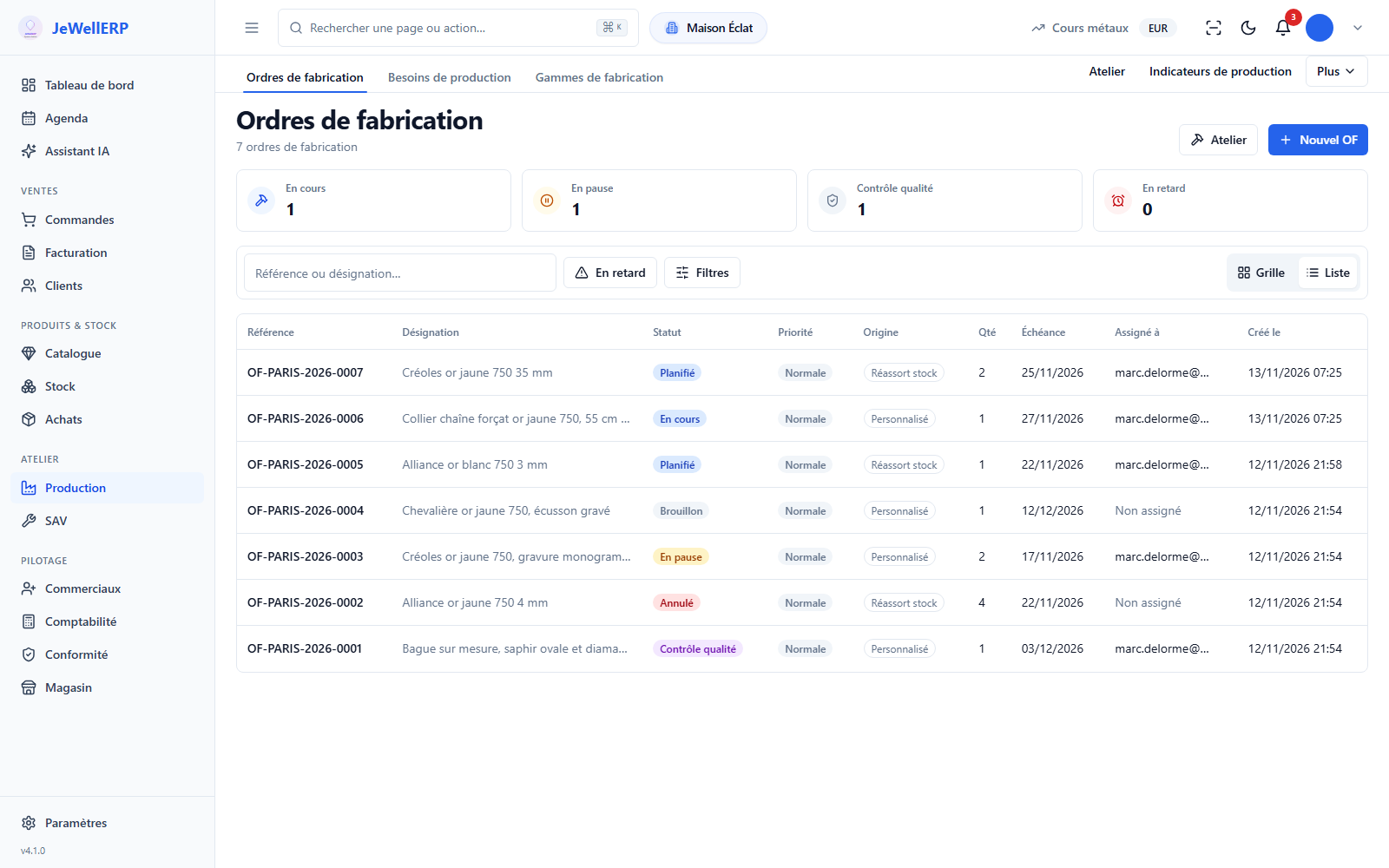
On this screen
In detail
The detail, for those who make things
Everything that matters at the bench, folded away to stay readable.
- Five families of components: metal, stone, accessory, packaging and other.
- A stone is described by its type, quality, colour, size, weight in carats and certificate.
- Labour is counted in minutes, valued at each shop’s hourly rate.
- Routings (the sequence of production steps) are set in the production settings.
- Draft, planned, awaiting components, in progress, paused.
- Quality control, approved, rejected, finished.
- Cancelled or scrapped, with the record of the decision.
- The person who carried out a step cannot sign their own check: the software refuses self-inspection.
- Above the threshold you set, a double check is required.
- Neither the person who did the work nor the first inspector can countersign.
- Actual metal consumption is recorded at close-out, scrap and waste separately.
- Above your shop’s discrepancy threshold, sign-off waits for a reason.
- Six reasons: material loss, badly calibrated bill of materials, rework, component quality, technical adjustment, other (with a comment).
- A replenishment, to restock a reference.
- A custom order, from the customer’s accepted quote.
- A repair, from the accepted quote of an after-sales job.
- The “Production needs” tab gathers what remains to be launched.
- The planned cost comes from the bill of materials, the true cost from what was consumed and the time spent.
- The difference is shown in euros, as a percentage, per piece and in production minutes.
Scope
What JewellERP does, and what it does not do
What it does
- Reserves the bill-of-materials material from planning onwards.
- Refuses the end of a critical step without a photo.
- Refuses a craftsperson checking their own work.
- Compares true cost with planned cost, order by order.
What it does not do
- It does not start an order for lack of material: it puts it on awaiting components, in plain view.
- It does not ask for a photo at every step: only at the ones you declare critical.
- It does not set your times: the minutes and quantities of the bill of materials are yours.
Questions
Your questions
No. The execution screen opens in the browser of the workshop workstation. It is designed for standing, shared use, with large areas to touch.
The order moves to the rejected state and the check stays recorded, with its author. You then decide on rework or scrapping.
Yes. A repair quote accepted in after-sales service creates an order with the origin “repair”, which follows the same steps and the same quality control.
See a production order pass quality control
In thirty minutes, we follow a piece from bill of materials to close-out, on the demonstration workshop.
Next feature: After-sales and repairs