Gold buying and second-handEvery plan
Buying from private sellers, from the counter to the Police Book
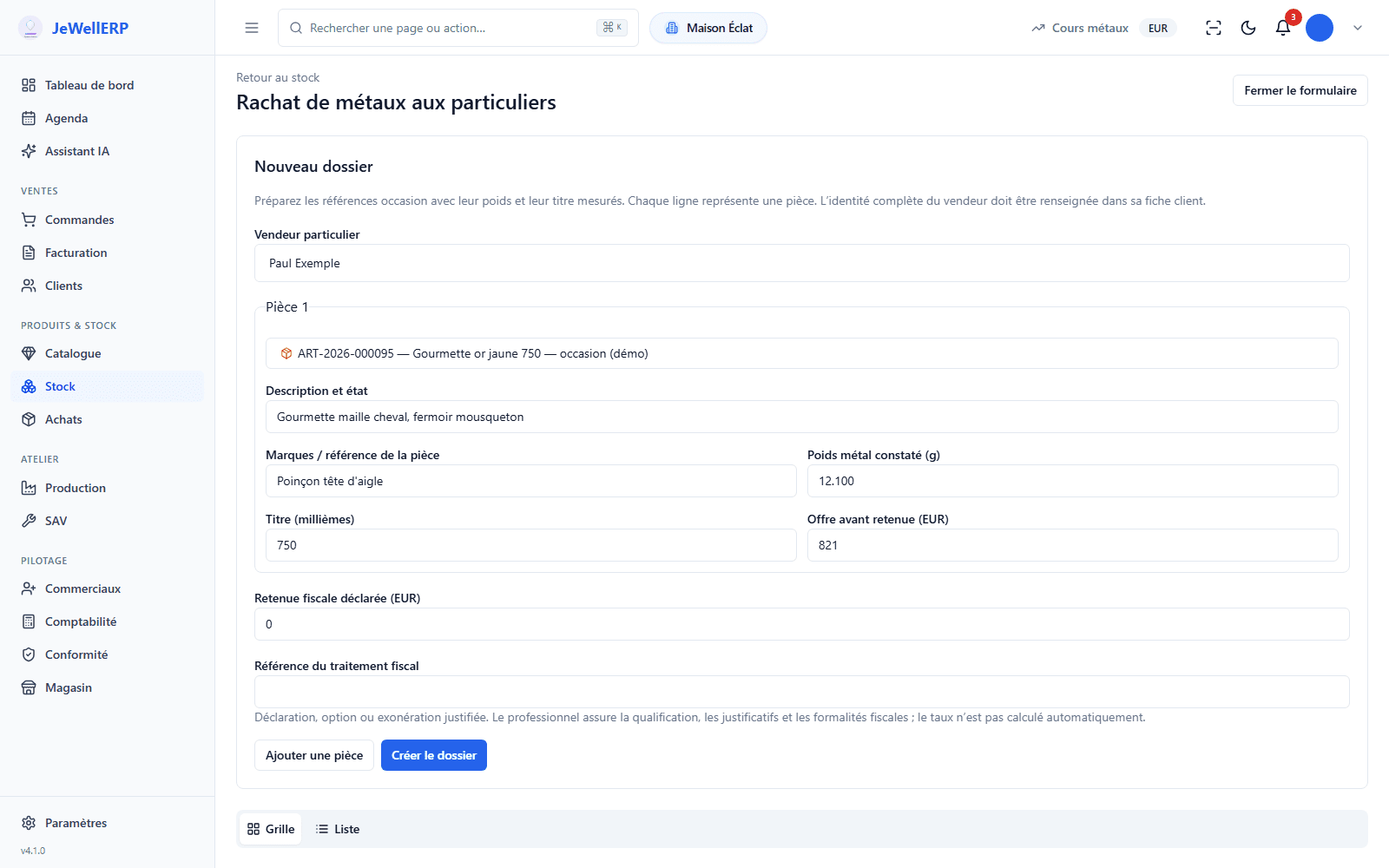
A gold jewel brought in by a private seller: the file records the seller, each item with its weight and fineness, and the accepted offer. The contract comes out as a PDF, the cooling-off period is tracked, then payment takes the item into stock and enters it in the Police Book (Livre de Police).
In thirty seconds
- The identified seller Name, address and identity document are taken from the customer record: without them, the file cannot be created.
- Weighing and fineness Each item carries its metal weight in grams and its fineness in thousandths, checked against the article record.
- Entered in the Police Book On payment, the item goes into stock and the entry is created in the register, with no re-keying.
What you gain
What the counter gains
The contract as a PDF
The purchase contract and its tear-off cooling-off form come out of the file, ready to be signed in two copies.
The cooling-off period tracked
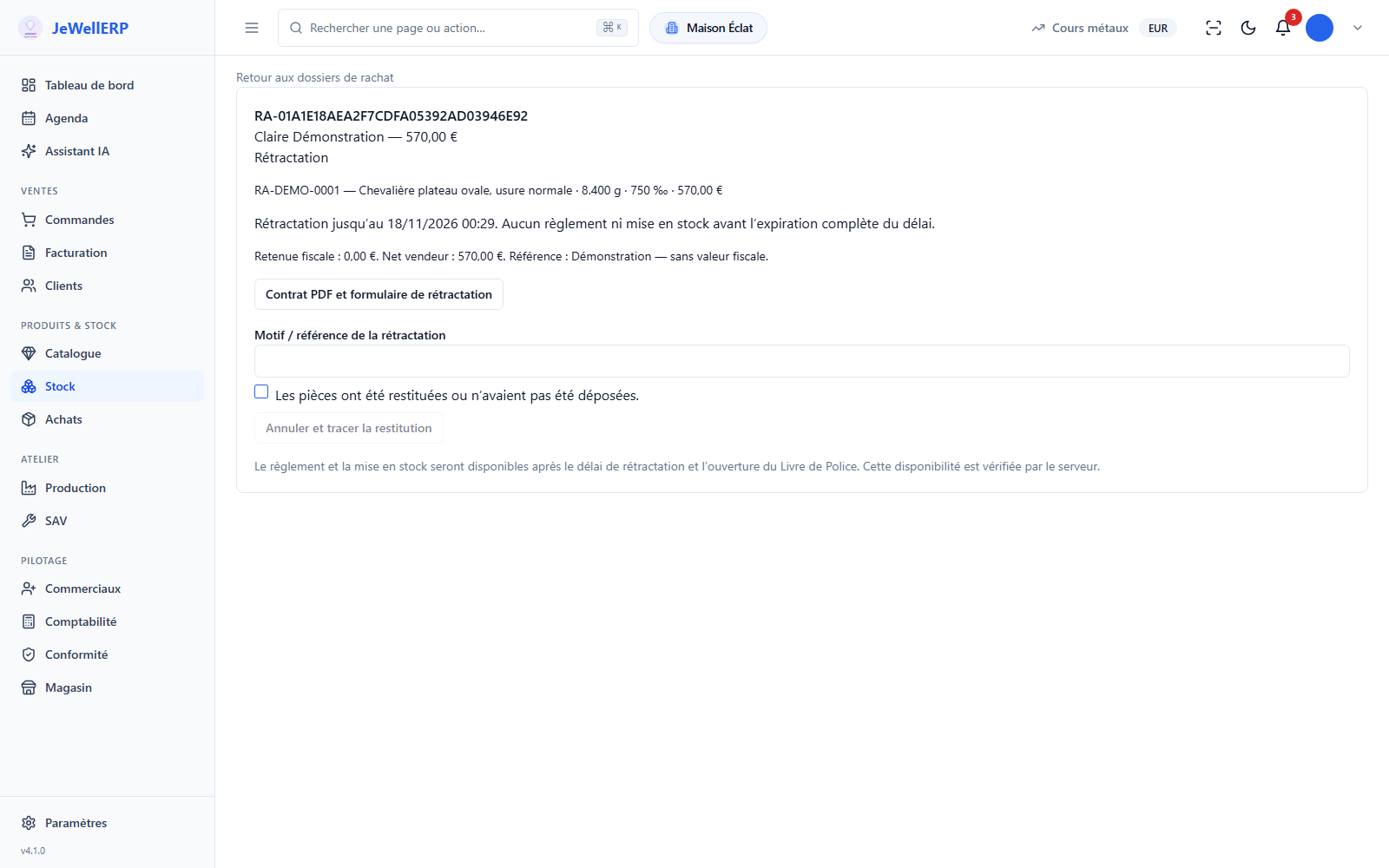
After signing, the file waits for the end of the period set for the shop’s country before it can be paid.
Payment to the named seller
Bank transfer or crossed cheque, in the seller’s exact name, with the reference of the bank document.
The margin ready for resale
The price paid is entered in the register: on resale, the software can apply VAT on the margin, otherwise standard VAT.
Step by step
A purchase, from weighing to stock
Example: a yellow-gold 750 signet ring brought in by a customer.
The seller
You choose the private customer’s record, with their address and identity document.
The items
Description, marks, measured metal weight, fineness and offer, for each item: twenty at most per file.
The contract
You print the contract and its cooling-off form, then record the reference of the signed contract.
The cooling-off period
The file waits for the period to end. If it is cancelled, the return of the items is logged.
The payment
Bank transfer or crossed cheque in the seller’s name: the item goes into stock and into the Police Book.
On screen
The buying file
A file from the demonstration shop, with a fictitious seller: its status, its items and the payment.
On this screen
In detail
The buying details
What the file checks, and what you set.
- The seller is a private customer: name, address, document type and number, date of issue and issuing authority.
- A file cannot be created if one of these fields is missing.
- The customer record can also hold the document’s expiry date.
- One to twenty items per file, each tied to an article record marked “second-hand” and in precious metal.
- The weight and fineness entered must match those on the record.
- The price is agreed with the seller and entered item by item, with the declared tax withheld.
- The cooling-off period and the accepted payment methods are set country by country, with an optional cap per method and per currency.
- For a shop in France, the starting setting provides for 48 hours, bank transfer and crossed cheque.
- A payment above the set cap is refused.
- Payment is only possible if the shop’s Police Book is open.
- The item goes into stock and the entry is created in the register, with the seller’s identity.
- The sellers’ identity appears in the official-request export, reserved for authorised people.
- A second-hand steel watch goes into stock as a “Rachat occasion” (second-hand purchase from a customer): seller, price paid and payment method.
- It is entered in the register of second-hand goods.
Scope
What JewellERP does, and what it does not do
What it does
- Prepares the buying file and its PDF contract.
- Tracks the cooling-off period and logs a cancellation.
- Logs the payment to the named seller and takes the item into stock.
- Enters the purchase in the Police Book.
What it does not do
- It does not suggest a price from the metal price: the offer is agreed with the seller.
- It does not store a photo or scan of the identity document.
- It does not tell you which rules apply to your business: ask your adviser.
Questions
Your questions
No. It records what you do: the seller’s identity, the weight and fineness of each item, the contract, the period and the payment, and it feeds the Police Book.
The rules that would apply to your business, for example on identifying the seller, payment methods or the cooling-off period, are to be checked with the official sources, such as the French customs page “Tenir un livre de police” cited in our guide, and with your adviser.
No. The buying file accepts bank transfer and crossed cheque, in the seller’s exact name, with the reference of the bank document.
No. You agree the price with the seller and enter it item by item. The metal price is used by the metals report, which values your stock.
See a purchase enter the Police Book
A file prepared at the counter, its contract, then payment and the entry in the register, in a demo.
Next feature: One-of-a-kind pieces and stocktake