JewellERP AI AssistantEvery plan
An assistant that answers on your figures and prepares the work, with your approval
Ask a question in French about your sales, your stock or your jobs. Ask it to prepare an order or a setting: it proposes, you check, nothing is recorded without your approval.
In thirty seconds
- Nothing without your approval It presents what it is going to do; you authorise it, or not.
- Everything is logged Every question, proposal and action stays in the AI log.
- Credit included, then your key AI credit included every month; beyond it, your own encrypted OpenAI, Anthropic or DeepSeek key.
What you gain
What you gain
A colleague who knows your figures by heart, but always asks permission before acting.
Answers with figures
The day’s turnover, average basket, best sellers: in a sentence.
An invoice read from a photo
The photo becomes a draft invoice, to be checked before anything is recorded.
Help with settings
It prepares a change to a workflow, a template or the configurator, which you review.
Your permissions respected
It reads only what the logged-in person is allowed to see.
Step by step
A request, from question to approval
The request
“Summarise today’s sales”, or “Prepare Mrs Durand’s order”, typed in French.
The reading
It reads your data, with the permissions of the logged-in person.
The proposal
It answers, or presents what it intends to create or change.
The approval
You authorise; the action is carried out and logged. Otherwise, nothing changes.
On screen
What you read on this screen
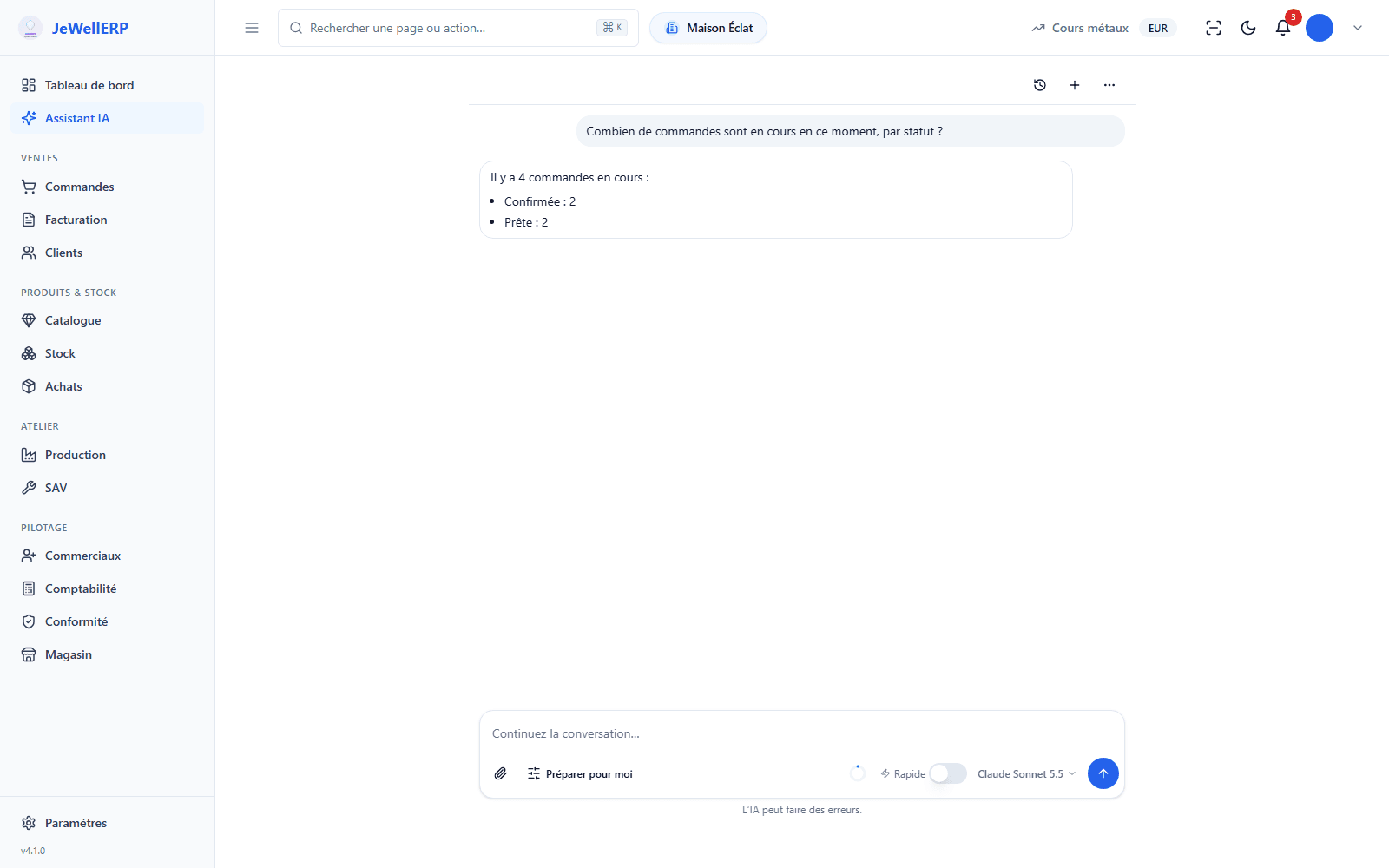
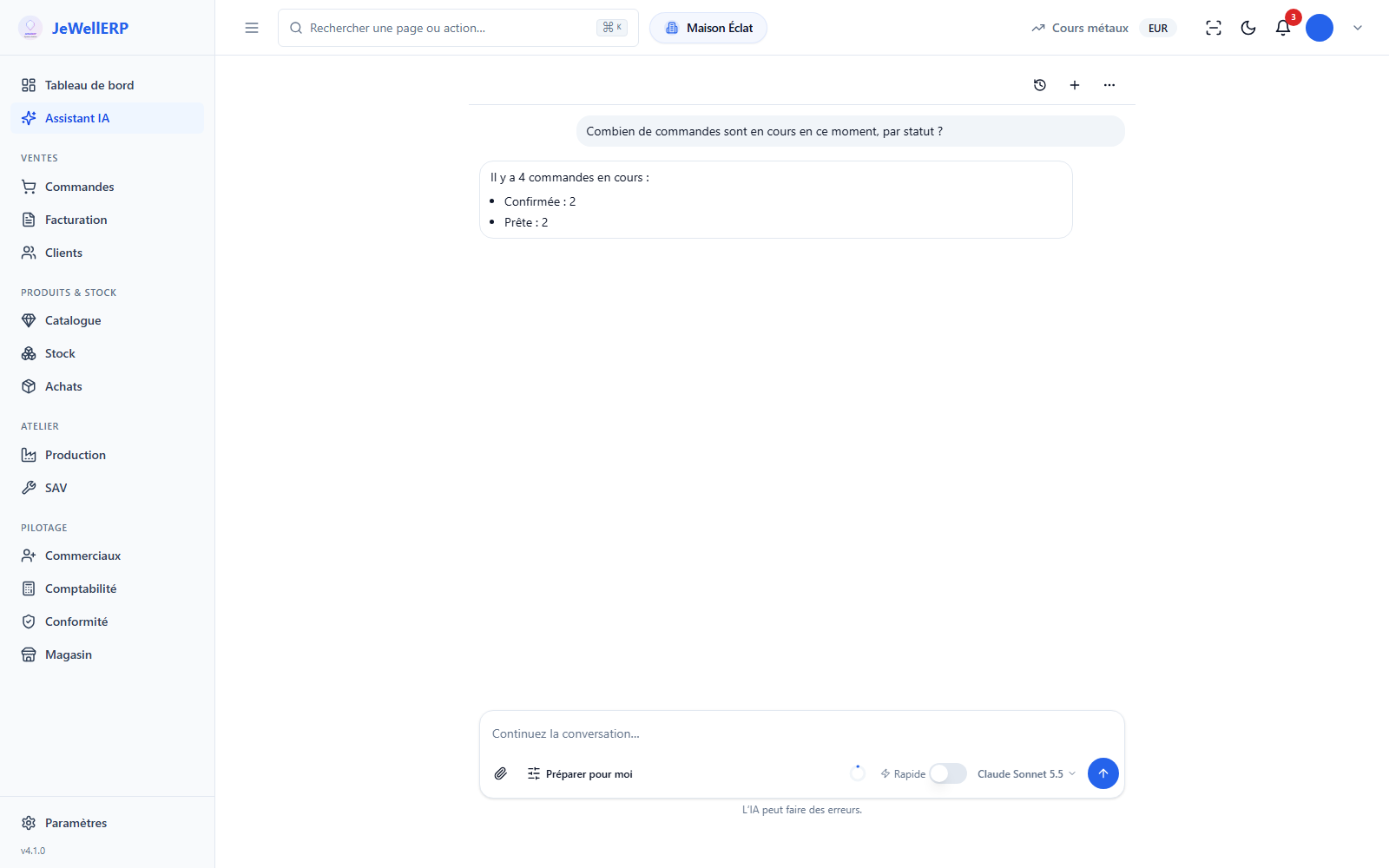
A conversation with the assistant, in the demonstration shop.
On this screen
In detail
The assistant in detail
- “Chat”: it answers and consults your data, changing nothing.
- “Prepare for me”: it proposes a plan to approve in one click, or it fills in the screen and you save.
- “Do it with my approval”: it saves for you, after your click on “Authorise”.
- Sales, stock, customers, jobs: always with the permissions of the logged-in person.
- Your key with OpenAI, Anthropic or DeepSeek, encrypted and replaceable.
- A monthly budget set by you.
- Access is reserved by default to the administrator and the manager.
- Every question, every proposal and every authorised action is recorded there, with its author.
- Your own AI tools can query JewellERP through the MCP server, with a token limited to what you authorise.
Scope
What JewellERP does, and what it does not do
What it does
- Answers about your data, in French.
- Prepares orders, invoices and settings for you to check.
- Asks for your approval before acting, and logs everything.
- Respects each user’s permissions.
What it does not do
- It does not work without a key: you open one with the provider of your choice and pay your usage to them.
- It does not read PDFs: invoice reading works on a photo (JPG, PNG or WebP).
- It can make mistakes: that is why nothing is recorded without you.
Questions
Your questions
The questions and the data needed for the answer are sent to the provider you chose, with your key. Nothing is sent if the assistant is not switched on.
It is included in both plans. Usage is billed by your AI provider, within the monthly budget you set.
By default, the administrator and the manager. It never sees more than the person using it.
Put your questions to the assistant, in a demo
Your figures for the day, an order prepared then refused: see where the AI stops and where your approval begins.
Next feature: Workflows