WordPress website created from the shopGlobal plan
Your online shop, drawn from your catalogue
On the Global plan, JewellERP creates your shop’s WordPress website from your catalogue. Then stock goes to the website and online orders come back into the software: you enter nothing twice.
In thirty seconds
- Created from the shop The website starts from your catalogue: records, photos, prices.
- The same stock A piece sold at the counter is no longer on sale online after the synchronisation.
- One website per shop On the Global plan, as many websites as shops.
What you gain
What you gain
No second entry
Your article records serve the website: you keep them up to date in a single place.
No piece sold twice
The website’s stock follows the shop’s, one-of-a-kind pieces included.
Orders in the right place
An order paid online arrives in JewellERP’s order list, with its customer.
The usual follow-through
Preparation, invoice and Police Book (Livre de Police), the register of precious-metal and second-hand purchases and sales, follow the same path as a sale at the counter.
Diagram
From the shop to the website, and back to the shop
The same stock serves the shop and the website: every sale, on either side, updates the other.
The diagram, step by step
- Catalogue : your records, photos and prices.
- Stock : the quantities in each shop.
- WordPress website : created from the shop on the Global plan, it receives the catalogue, photos and stock.
- Online order : the customer pays on the website.
- Stock updated : the order comes back into JewellERP and the piece is no longer for sale.
- Invoice : the sale follows the same path as at the counter.
On screen
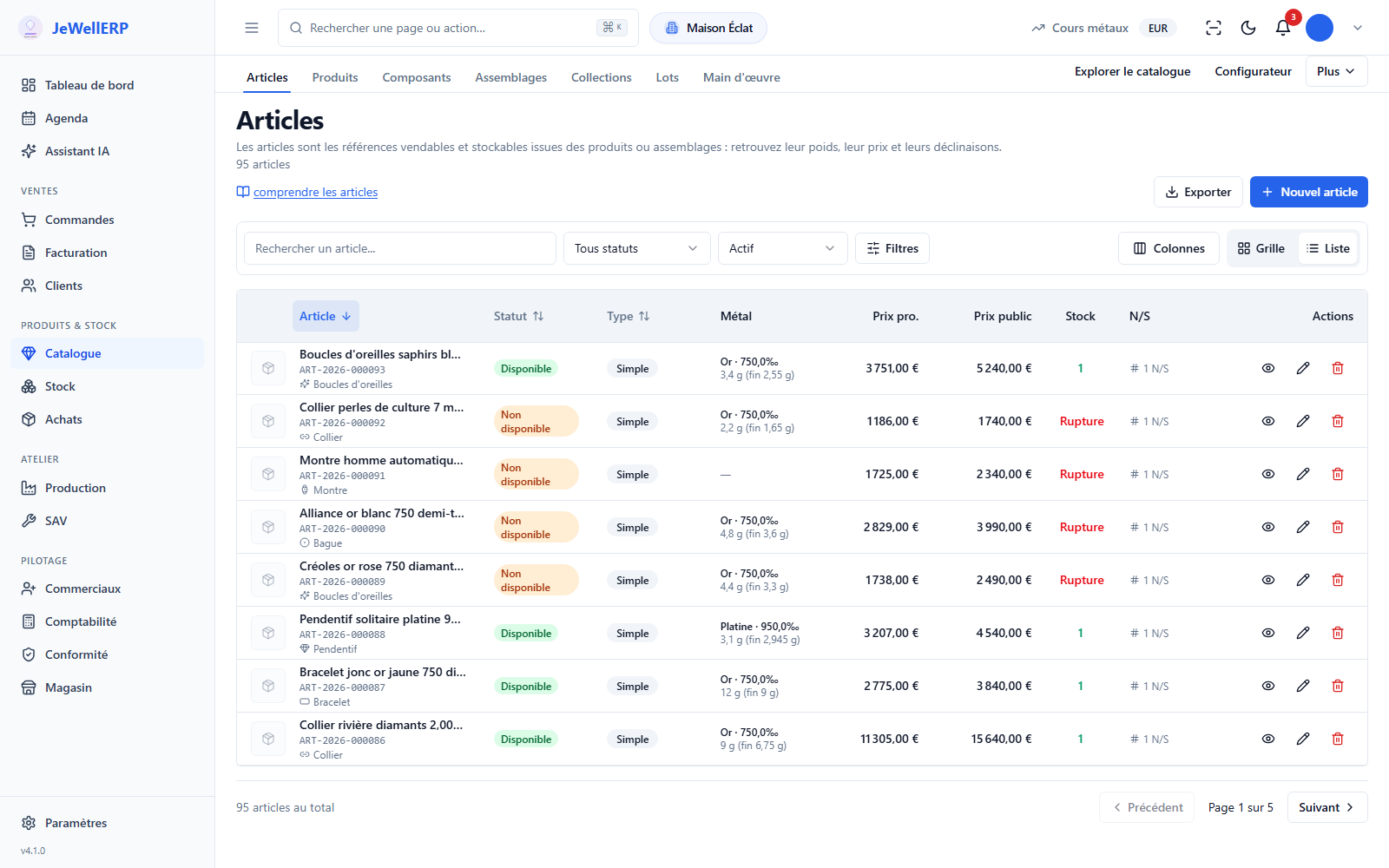
The catalogue, source of the website
The website takes up the records of your catalogue: what you correct here changes online too.
On this screen
In detail
In detail
- An option on the Global plan: one WordPress website per shop, created from JewellERP.
- The website takes up your catalogue: descriptions, photos, prices and availability.
- To the website: catalogue, photos and stock.
- To JewellERP: paid orders, status changes and customers.
- It connects to JewellERP on every plan, without being rebuilt: see the Integrations page.
Scope
What JewellERP does, and what it does not do
What it does
- Creates a shop’s WordPress website from its catalogue (Global plan).
- Sends catalogue, photos and stock to the website.
- Brings paid orders and customers back into JewellERP.
What it does not do
- No website creation on the Essentiel plan: you connect an existing WooCommerce website to it.
- No feed to Google Merchant or Meta.
- It does not write your texts or take your photos: the website takes up your catalogue.
Questions
Your questions
No. Your existing website connects to JewellERP, on every plan. Creating a website from the shop is a feature of the Global plan.
No: stock goes from JewellERP to the website. After the synchronisation, the piece sold at the counter is no longer available online.
Yes, on the Global plan: each website is an option, billed per month and per website.
See your catalogue become an online shop
In a demo: an article record, the website, then an order that comes back into JewellERP.
Next feature: Workshop and production